Getting Started & Workspace
Workspace Settings Overview
A complete tour of the Flanceflow Settings console, including general studio identity, branding preferences, team access, and payment integrations.
The Workspace Settings console is where you configure your studio operations. From adjusting invoice numbering rules to configuring SMTP servers and payment gateways, here is a complete walkthrough of every configuration section.
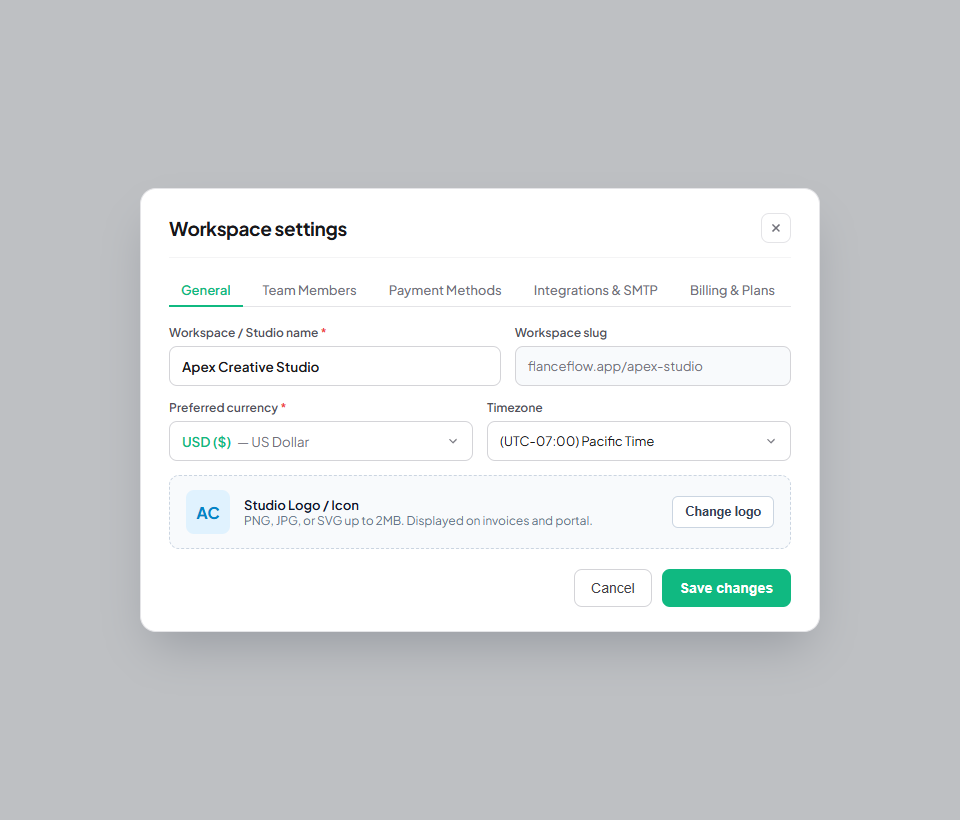
Navigating workspace settings
- Click the gear icon at the bottom of the left sidebar to launch the Settings modal.
- Preferences: Configure color themes, default language, date formats, and desktop notification triggers.
- General: Update studio business name, contact phone, legal registered address, tax ID, and studio logo.
- Customize: Set your default invoice payment terms (e.g. Net 15), header color, and footer thank-you note.
- Payment Methods: Enter your bank account details, UPI ID, Stripe payment link, or PayPal address for client invoices.
- Integrations: Connect your custom SMTP email delivery or Google Gmail OAuth account.
- Manage Workspace: Invite subcontractors, audit active sessions, or transfer workspace ownership.
- Subscriptions & Upgrade: View your current Flanceflow plan tier, billing invoices, and upgrade features.
Settings navigation directory
| Section | Primary purpose | Frequency of update | Permissions required |
|---|---|---|---|
| General | Studio name, address, tax registration, and primary currency | Occasional (during setup or business moves) | Owner or Admin |
| Customize | Default invoice payment terms, notes, and color themes | As branding evolves | Owner or Admin |
| Payment Methods | Direct deposit instructions, UPI handles, Stripe links | When payout accounts change | Owner only |
| Integrations | Direct SMTP server connection and email delivery credentials | Initial setup | Owner only |
| Manage Workspace | Inviting team members and assigning roles | When staffing changes | Owner or Admin |
| Subscriptions | Plan management, billing invoices, and payment methods | Monthly or annual renewal | Owner only |
Studio management tips
- Backup your settings: Export your invoice and client data quarterly via Settings > Account & Data for local accounting archives.
- Client payment reminders: Check Customize > Message Templates to tailor your automatic reminder emails with your personal brand voice.
- Direct email testing: Use the "Send Test Email" button in the Integrations section to verify your SMTP connection before sending invoices to clients.
Was this guide helpful?
👍 Yes
👎 No