Clients & Relationships
Adding & Managing Client Profiles
Organize client contacts, company names, tax details, and preferred billing currencies in one unified, searchable freelance client roster.
Scattered client emails, forgotten phone numbers, and lost billing addresses cost freelancers billable hours and cause delayed payments. Flanceflow’s Client Roster consolidates all client contacts, active projects, and past invoices into dedicated, easy-to-manage client profiles.
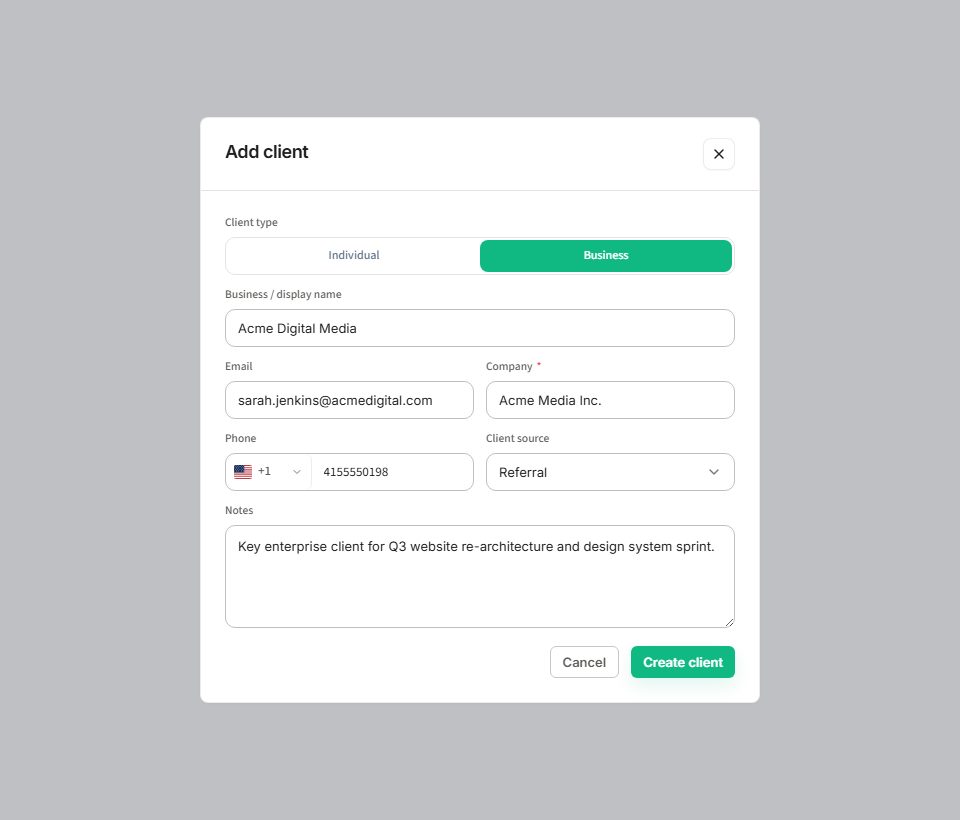
How to add a new client
- Click "Clients" in the main left navigation bar to open your Client Roster.
- Click the "+ New Client" button in the top-right corner.
- Enter the client’s Full Name (or Primary Contact person) and Company Name.
- Input their email address (all automated invoice emails and portal invites will be routed here).
- Add their business phone number, billing address, and tax registration number (GSTIN, VAT, or Tax ID).
- Select their Preferred Currency (USD or INR). Invoices created for this client will automatically prefill with this currency.
- Click "Save Client" to create the profile. You will immediately see their client overview card.
Client profile fields breakdown
| Field | Required | Purpose | Client visibility |
|---|---|---|---|
| Contact Name | Yes | Primary individual you correspond with for approvals | Visible on invoice headers and portal greeting. |
| Company Name | Optional | Corporate or studio entity name for official billing | Prominently printed on all tax invoices. |
| Billing Email | Yes | Destination for invoice PDFs, receipts, and portal invites | Private to billing correspondence. |
| Billing Address | Optional | Official registered postal address | Printed in "Billed To" section on PDF invoices. |
| Tax Registration ID | Optional | GSTIN, VAT, or EIN for B2B tax compliance | Printed on invoices for tax input credit. |
| Internal Notes | No | Private client preferences, quirks, and payment terms | Completely confidential; never shared with client. |
Client management tips
- Linking multiple projects: A single client profile can hold dozens of projects and invoices over years of collaboration, giving you a lifetime value (LTV) view of your relationship.
- Quick search: Use the filter bar at the top of the Clients page to search by company name, contact person, or email address instantly.
- Exporting client contacts: Need to import your clients into an email newsletter or tax spreadsheet? Click "Export Clients" to download a clean CSV file anytime.
Was this guide helpful?
👍 Yes
👎 No