Getting Started & Workspace
Creating Your Workspace & Studio Branding
Personalize your freelance business name, choose your primary currency (USD or INR), add your studio logo, and configure invoice details in under five minutes.
Welcome to Flanceflow! Your workspace is your studio’s central command hub. Taking five minutes to set up your business details upfront ensures every invoice, estimate, proposal, and client portal automatically displays your professional branding and legal details.
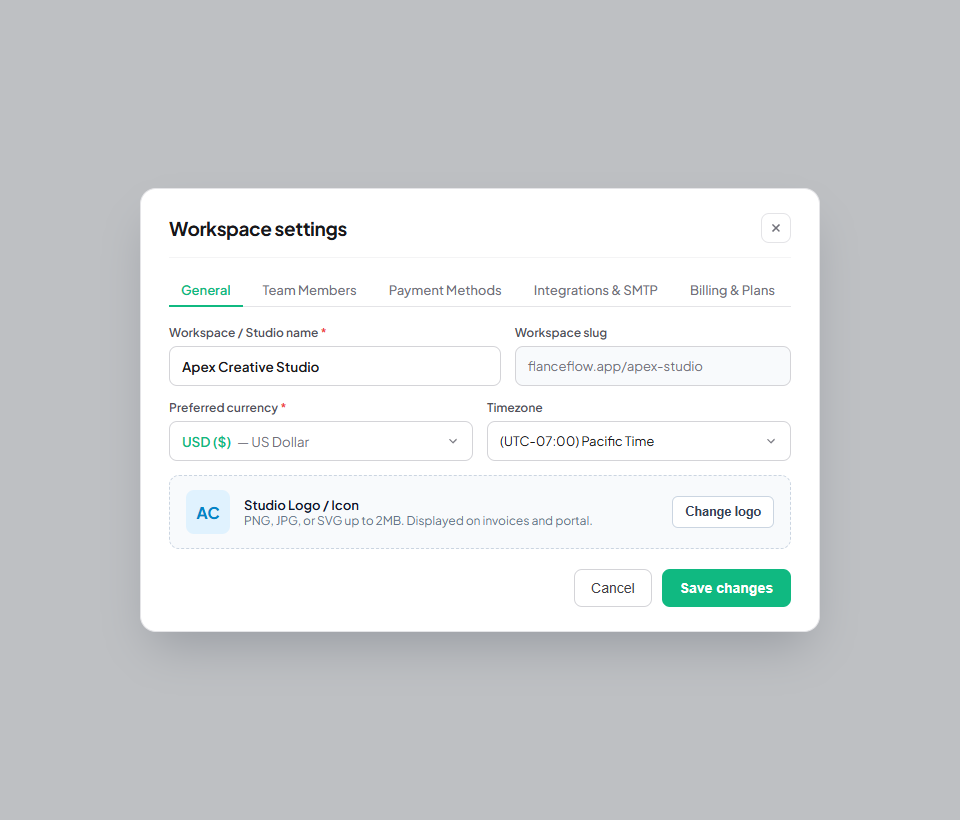
Quick setup steps
- Open Settings by clicking the gear icon in the bottom-left workspace sidebar navigation.
- Under General Settings, enter your Workspace Name (for example, "Apex Design Studio" or your own personal brand name).
- Choose your Primary Currency (USD or INR). This determines the default currency shown across your earnings dashboard, monthly revenue cards, and standard service rate calculations.
- Upload your studio logo or avatar image (a high-resolution square PNG, WebP, or SVG with a transparent background looks best on client deliverables and PDF invoices).
- Add your registered business address, contact phone number, and tax identification number (such as GSTIN, VAT, or EIN if applicable).
- Select your default invoice header accent color from the palette to match your visual studio identity.
- Click "Save Workspace" to lock in your settings and immediately apply them across your account.
Branding options & invoice impact
| Branding element | Default format | Where it appears | Design recommendations |
|---|---|---|---|
| Workspace Name | Your Account Name | Top left sidebar, client email notifications, invoice header | Keep it concise and recognizable to your clients. |
| Primary Currency | USD ($) | Dashboard revenue metrics, default service templates, cash flow analytics | Choose the currency in which you calculate your core annual earnings. |
| Studio Logo | Flanceflow Monogram | Top-left of all PDF invoices, client portal banner, email receipts | Use 400x400px transparent PNG or SVG for crisp rendering. |
| Header Accent Color | #0f172a (Slate) | Invoice banner stripe, portal primary buttons, highlighted totals | Choose your brand’s primary or secondary color palette hex. |
| Tax ID / Registration | None (Optional) | Invoice metadata block beneath seller address | Enter GSTIN, VAT, or EIN for formal tax invoices. |
Best practices for studio setup
- Dual currency versatility: Even if your main studio dashboard is set to USD or INR, you can quote and bill international clients in either currency seamlessly on a per-project basis.
- Updating details later: You can update your business address or phone number anytime in Settings. Future invoices will use your new details, while past finalized invoices remain untouched for audit accuracy.
- Separate creative ventures: If you run multiple distinct freelance businesses (for example, web development and photography), you can create and switch between multiple workspaces without needing separate accounts.
- Mobile preview: Check your invoice logo display on mobile screens before sending your first bill to ensure text and icon scales remain sharp and well-aligned.
Was this guide helpful?
👍 Yes
👎 No